ExampleCut six coloured tiles
Download this 300 × 200 PNG, then choose it in the tool. Set 2 rows and 3 columns, keep all cells selected, choose PNG and leave custom size off. The ZIP should contain six 100 × 100 images, numbered by row and column.
Download sample PNG (300 × 200)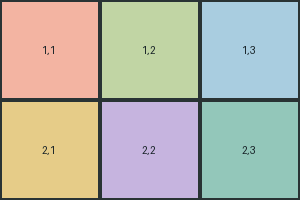
Split an image into a grid
Choose rows and columns, select the pieces you need, and download one cell or a ZIP. Keep native cell dimensions for an unscaled crop, or set a custom size. The image is processed locally in your browser.
How to split an image
- Choose an image your browser can open, up to 50 MiB.
- Set rows and columns. Changing the grid selects the new cells.
- Choose the cells you want using the preview or keyboard controls.
- Pick the output format. Leave custom size off to keep native crop dimensions.
- Download the cell or ZIP and check the pieces before using them.
When this helps
- Cutting a regular sprite sheet into individual images.
- Preparing pieces for a collage or tiled layout.
- Creating separate icons from a grid of square artwork.
Frequently asked questions
Are native cells always the same size?
Only when the image dimensions divide evenly by the grid. Otherwise widths or heights differ by one pixel so no edge row or column is dropped. Enable custom size if every output must have the same dimensions; that resizes the crops.
Can I select cells without a mouse?
Yes. Focus the image preview with Tab, move between cells with the arrow keys, and press Space or Enter to toggle a cell. Select all, clear and invert are also buttons.
Why is AVIF or WebP export unavailable?
Opening a format and encoding it are separate browser capabilities. If the browser cannot encode the selected format, the tool reports it. Choose PNG or JPG and try again.
What does ICO export do?
Each selected cell becomes an ICO with 16, 32, 48, 64, 128 and 256 pixel images. Non-square cells are cropped to a centred square. Custom width and height are not used for ICO.
Does enlarging a cell improve its detail?
No. Resizing creates additional pixels but cannot recover detail missing from the source. Lanczos is an optional resampling method for enlargement; inspect the result.
What are the limits?
The input limit is 50 MiB. Images and each output canvas must stay within 100 million pixels and 16,384 pixels per side. Rows and columns each stop at 100 and require at least two source pixels per cell dimension. Each export also has a combined limit of 100 million output pixels, including the embedded ICO sizes. These limits do not guarantee enough device memory; use fewer or smaller cells if needed.
Choose a size and format that fit your task
If the source dimensions do not divide evenly, native cells can differ by one pixel: all rows and columns of the image are included. A custom size resizes each cell and can stretch it if the aspect ratio changes. PNG is useful for transparency; JPG uses a white background. WebP and AVIF export depend on browser encoding support. Unsupported output formats show an error instead of downloading a mislabelled file.
- Up to 100 rows and 100 columns, limited by image dimensions
- Select cells by pointer or with the keyboard controls
- One selected cell downloads directly; multiple cells download as a ZIP
- Native crops, custom resizing, and multi-size ICO export
Free. No signup. No file uploads. Ads via AdSense (consent required).